 Resources
Know what your Mac is busy with.
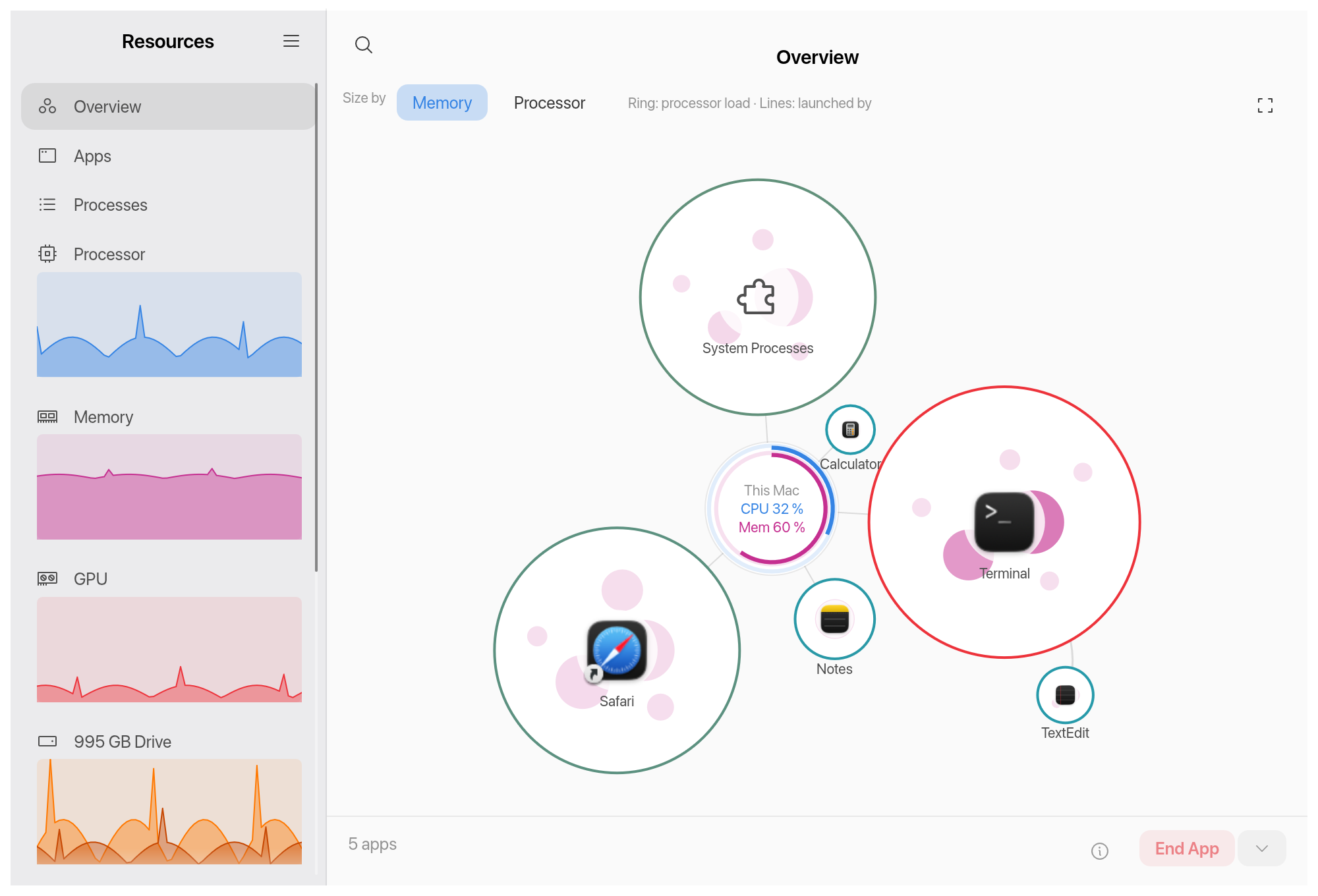
Resources shows every app, process, processor core, drive and connection on your Mac in one quiet window, with the look of GNOME Resources. Keep a few numbers in the menu bar or a live graph on your desktop. Free and open source.
brew install --cask VachaganGrigoryan/tap/resources-mac
Or download the .dmg. Needs macOS 13 or later, runs natively on Apple Silicon and Intel.
Install
Homebrew
brew install --cask VachaganGrigoryan/tap/resources-mac
Download
Get the .dmg from the latest release and drag Resources to Applications.
Build from source
You need a Rust toolchain.
git clone https://github.com/VachaganGrigoryan/resources-mac
cd resources-mac
cargo run --release
First launch
Releases are not notarized, so macOS blocks the app the first time. Open System Settings, then Privacy & Security, scroll down and click Open Anyway. Or run:
xattr -dr com.apple.quarantine /Applications/Resources.app